Introduction
It’s 9 p.m, your notes are scattered across three notebooks and a Google Doc. Your phone keeps lighting up on the desk next to you. You still haven’t opened tomorrow’s reading. Most students have lived some version of this night the one where a messy desk turns a manageable study session into a losing battle against the clock.
That is where study tools show their value. A good gadget may help you save time, centralize readings and notes, and transform a study area into somewhere you can actually sit for three hours without want to leave. However, there’s a catch here that bears mentioning right now: purchasing devices doesn’t automatically result in better grades.
A new tablet or a fancy smart pen might support good habits. It won’t build them for you nothing plugged into a wall does that. What follows is a walk-through of the study gadgets actually worth knowing about, what research says about their real impact, and where that evidence gets shaky.
What Are Study Gadgets?
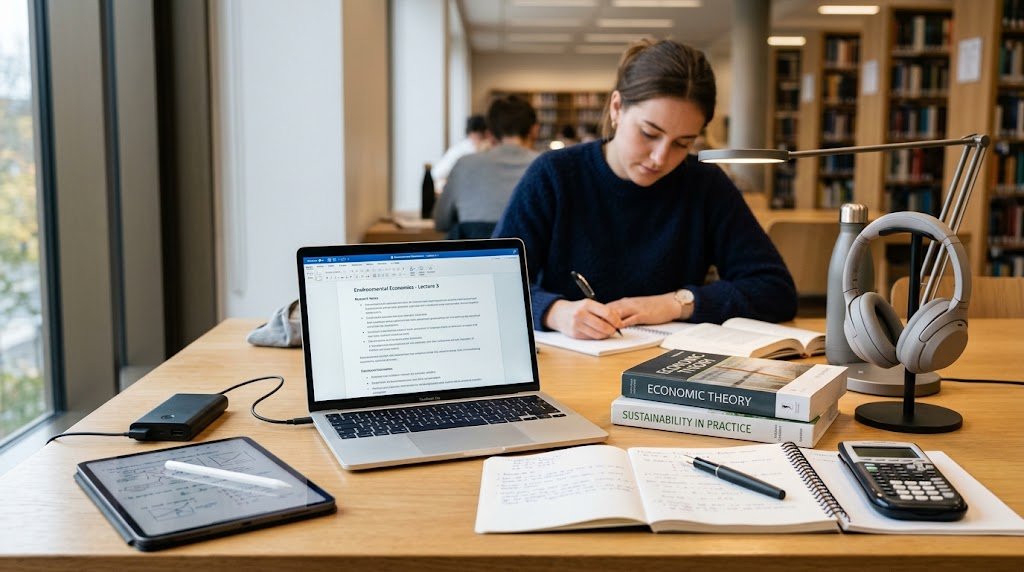
Study gadgets are devices and tools people use specifically to support academic work reading, note-taking, research, organization, calculation. Or just building a study environment that doesn’t fight against them.
Some exist for this and basically nothing else a scientific calculator, a smart pen. Like a laptop or a tablet, some are basic gadgets that a student sets up exactly as study tools. That difference is more important than it sounds like it should be.
A laptop running lecture notes, research databases, and online classes is doing real work as a study gadget. That same laptop spending the evening on streaming and social media. Not doing much for anyone’s GPA, even though it’s the same box sitting on the same desk.
Why Are Study Gadgets Useful for Students?

- Used well, study gadgets can support several parts of academic life at once.
- Faster access to recorded lectures, research databases, and digital textbooks; no campus travel is necessary.
- Better structure since calendars, task tools, and cloud storage help to maintain searchable deadlines and files.
- Digital notebooks, styluses, and smart pens you can actually search later will help you to take notes and conduct research more easily.
- Real support for online learning; a stable laptop, working webcam, and decent internet aren’t extras anymore
- More portability, e-readers and tablets carrying a semester’s textbooks in a bag that used to hold two
- A better physical study environment, courtesy of something as simple as a desk lamp or a pair of headphones
None of that guarantees better outcomes on its own. Research on classroom technology keeps landing in the same place: how a device gets used matters more than whether a student owns it.
Sana, Weston, and Cepeda ran a widely cited study, published in Computers & Education in 2013. And found that students who multitasked on a laptop during a lecture scored lower on a comprehension test than students who didn’t.
Here’s the odd part students who could just see a classmate’s screen doing unrelated things during that same lecture scored lower too. So the laptop wasn’t really the villain.
Best Study Gadgets for Students
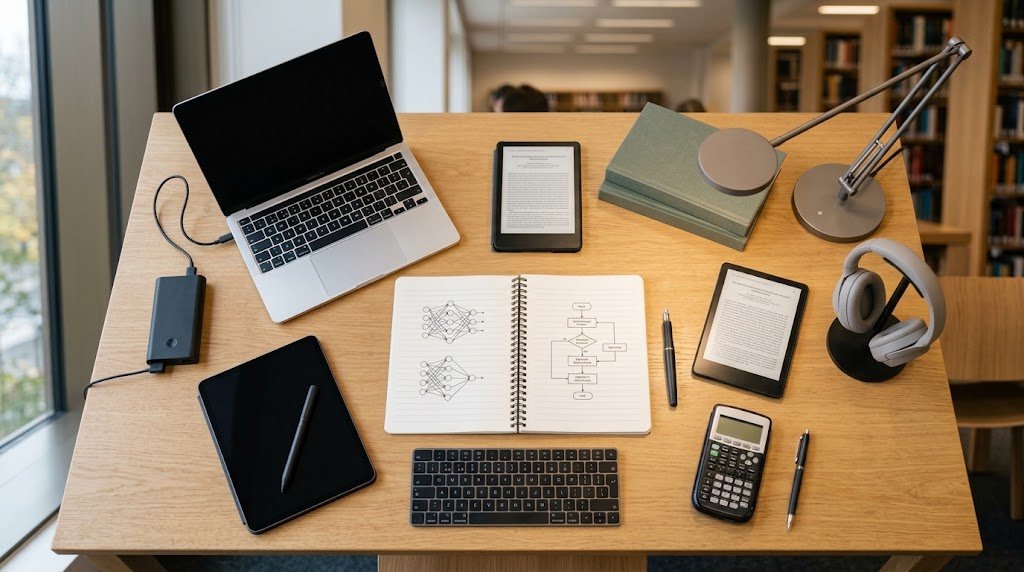
A closer look at the categories that come up most when people search for the best study gadgets what each one actually does well, and where it falls apart.
Laptop
For most college students, a laptop is still the single most important piece of student technology. Essay writing, Research, Video calls for online classes. It all runs through this one machine.
What matters most depends on the workload humanities and business students usually care about battery life and portability. While engineering, design, or computer science students need enough processing power that specialized software doesn’t choke halfway through a render.
A lighter, more affordable laptop covers writing, browsing, and video calls just fine. Heavier coursework video editing, CAD, large datasets calls for more storage and a stronger processor.
Whatever the model, hold onto that multitasking research. A laptop sitting open to five unrelated tabs during a lecture undercuts the exact reason it got opened.
Tablet
A tablet serves a different purpose from a laptop. It’s designed for reading PDFs, marking up lecture slides, watching recorded classes, and carrying around digital books free from the additional weight. Add a stylus, and it becomes a notebook for written notes, right on top of the reading itself.
Typing volume is where it falls apart. A long essay on an on-screen keyboard is slower and messier than one typed on a physical keyboard which is exactly why heavy typists end up buying a keyboard case rather than trusting the tablet alone.
E-Reader
Worth a look if you read a genuinely large amount of text literature majors, law students, anyone slogging through long academic material regularly. E-ink screens are gentler on the eyes over a long session than backlit tablet or laptop screens, and one device can hold hundreds of books or PDFs without adding a single pound to your bag.
A 2018 meta-analysis by Delgado, Vargas, Ackerman, and Salmerón published in Educational Research Review, covering more than 170,000 participants, found a modest overall advantage for paper over screens.
Especially for informational text and under time pressure. But later research zeroed in on handheld devices specifically, tablets and e-readers rather than laptops or desktops, and found that gap shrinks considerably compared to scrolling on a computer. An e-reader isn’t a printed book. It’s just a lot closer to one than a scrolling screen ever gets.
Noise-Canceling Headsets
Anyone who has worked in a shared flat, a dorm, or a crowded library already understands the impact of background noise on concentration. Research on irrelevant background speech sound you’re not actively.
Listening to but can still make out keeps finding it interferes with reading comprehension, mental arithmetic, and working memory. Even when you’re not consciously registering it.
Noise-canceling headphones cut that ambient noise down, which explains why they’ve become such a staple study gadget. They don’t automatically improve academic performance, though worth saying clearly.
A video, a lyric-heavy playlist, buzzing group-chat notifications: any of those just swaps one distraction for another. The benefit is in what gets blocked out. Not in having something clamped over your ears.
Digital Note-Taking Device or Smart Pen
A smart pen or digital notebook silently saves, syncs, and frequently transforms the complete document into search-enabled text as you write by hand. There is a well-known research basis for why this is important, and it holds up under examination.
In a 2014 Psychological Science article titled “The Pen Is Mightier Than the Keyboard,” Mueller and Oppenheimer found that longhand notewriters outperformed laptop keyboarders on conceptual challenges.
Slower handwriting promotes synthesis instead of direct copying. A 2019 replication by Morehead, Dunlosky, and Rawson in Educational Psychology Review complicates that picture a bit smaller, less consistent differences once students got to actually review their notes afterward.
So the evidence still leans toward longhand. It’s just not the slam dunk it’s occasionally made out to be. A smart pen is one way to capture some of that deeper processing while still ending up with notes you can search six weeks from now.
Scientific Calculator
For students in math, physics, chemistry, or engineering, a scientific or graphing calculator usually isn’t optional. It’s required often a specific model, mandated for exams.
Unlike nearly everything else on this list, the case for a calculator has nothing to do with optimizing study habits. It’s a practical tool for work that can’t be done efficiently by hand, and in a testing room where phones are banned, it can’t be outsourced to an app either.
Desk Lamp
Easy to overlook. Lighting affects comfort and how long you can work before your eyes give out. Studies on classroom and workspace lighting illuminance, color temperature have linked better lighting to improved concentration and less fatigue during learning tasks.
One caveat: most of that research happened in classrooms, not home desks, so treat it as suggestive rather than gospel for your setup. Still, a basic adjustable desk lamp warmer for evening sessions, brighter and cooler for daytime focus is a cheap way to act on the idea.
Portable Charger or Power Bank
For students studying away from home a library, a cafe, the gap between back-to-back classes a dead battery at the wrong moment can wreck an entire session. But arguably the single most practically useful gadget on this list for anyone without steady access to an outlet, especially during exam weeks when devices barely get a rest.
Keyboard and Stylus
Two different problems, one shared conversation. A keyboard turns a tablet into a real typing device for essays and long-form writing, fixing the weakness above. A stylus does the reverse it brings handwriting, and whatever benefits come with it, onto a digital, searchable surface.
Do Study Gadgets Actually Help Students Learn?
Honestly it depends on how they’re used, not what’s sitting in the bag. The research throughout this article keeps pointing the same way: devices that support focused, single-tasked engagement tend to help. Devices that invite multitasking, passive scrolling, or a stream of notifications tend to hurt.
What tends to help:
- Faster access to readings, research, and recorded lectures
- Better organization of notes, deadlines, and files
- More flexible, searchable note-taking
- Genuine support for remote and hybrid learning
- Lighter bags, more portable materials
- A study environment with fewer built-in distractions
What works against you, just as reliably:
Notifications and constant app-switching a well-documented distraction source. The mere presence of a smartphone, not even active use of one, has been linked to reduced cognitive performance in research out of the University of Texas at Austin, though later replication attempts produced mixed results costs piling up fast.
When every appealing gadget gets bought “just in case”. A modest comprehension disadvantage for screen reading versus paper, for certain text typesLeaning entirely on gadgets without backup habits writing things down, actually reviewing material which can build dependence without necessarily improving learning.
None of this argues against study gadgets. It’s a reminder that the gadget enables the habit; it doesn’t replace it. A smart pen doesn’t make anyone review their notes. Noise-canceling headphones don’t keep anyone off social media. Students who get the most out of study gadgets already have some kind of routine they’re just hunting for tools that remove friction from it.
A small set of gadgets that actually match your coursework beats a drawer full of technology that mostly just sits there. A laptop, a decent pair of headphones, one note-taking method you’ll actually stick with that covers most of what students need. Everything past that is refinement, not requirement.
Real Life Examples
Case Study 1: Laptop Multitasking and Learning
In this study, Sana, Weston, and Cepeda (2013) examined college students using laptops in the classroom during lecture sessions. Students who multitasked with tasks other than the lecture did worse on the comprehension tests than students who did not multitask. This study indicates that using a laptop facilitates learning, and that multitasking may decrease the benefits.
Case Study 2: Handwritten Notes vs. Laptop Notes
Mueller and Oppenheimer (2014) did three studies, comparing Laptop note taking with longhand note taking. The conceptual questions were scored higher by students who wrote handwritten notes, as handwriting required students to think through information rather than to copy it verbatim.
Frequently Asked Questions
1. Students’ most practical study tools?
Most of the day-to-day is covered by a trustworthy laptop, noise-canceling or noise-isolating headphones, and one note-taking technique you will actually stick with. Beyond that, it relies on the subject; a scientific calculator is much more useful to an engineering student than it will be to an English major.
2. Do study gadgets actually improve learning?
They can when they’re used to focus attention, organize material, or cut down on distraction. They can also hurt performance just as easily, since studies on laptop multitasking and smartphone presence show the same devices introducing distraction instead of removing it.
3. Which gadget is best for taking digital notes?
A tablet with a stylus, or a dedicated smart pen, tends to work best if you want the deeper processing that comes with handwriting plus the searchability of a digital file. Type faster than you write? A laptop with a solid note-taking app does the job just as well.
4. Are study gadgets worth buying for college students?
For anything tied directly to coursework a laptop, a required calculator, reliable internet pretty much, yes. For extras like a smart pen or noise-canceling headphones, try a less expensive version first and see if it really suits your study habits before investing more.
5. How may students keep themselves from getting sidetracked when studying with study tools?
Non-essential alerts should be turned off. During focused work, research suggests that even a visible phone lowers available attention; therefore, keep yours out of sight rather than just on mute. For schoolwork versus everything else, utilize different apps or browser profiles; then, instead of juggling many chores at once, concentrate on one.
Conclusion
Not one of these disses study tools. More of a reminder is that the gadget helps the habit, not replaces it. A clever pen won’t encourage you to go over your notes. Noise-canceling headphones won’t by themselves keep you off social media.
Those students that benefit most from their technology already have some sort of routine going; they are only searching for tools to help to reduce friction from it, not equipment to help to create it.
A limited collection of devices that really correspond your schoolwork is superior to a drawer of technology mostly just sitting there charging.
For most of what a student needs day to day, a laptop, good headphones, and one note-taking technique you will really stick with cover it. All past that is improvement, not requirement.